
CPS by CPhA8.1.0 - Google Play
You'll be able to see results in few seconds.
Publisher Description
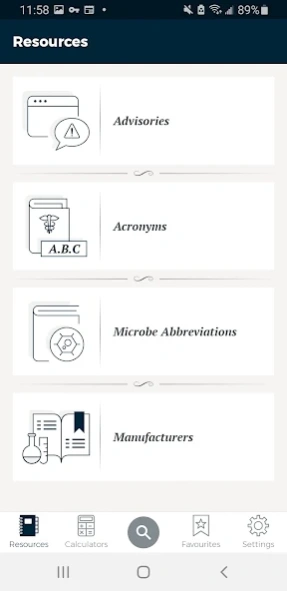


CPS - the Canadian standard for drug and therapeutic information.
CPS (formerly RxTx) has a new appearance. CPS is still the reliable, evidence-based drug resource it has always been and provides essential drug information at the point-of-care for health care practitioners. Now offering two subscription options – CPS Drug Information or CPS Full Access. CPS Drug Information is the Canadian standard for drug monographs, containing thousands of products including monographs for drugs, vaccines, natural health products and medical devices, approved by Health Canada. CPS Full Access includes all content from CPS Drug Information and the most current, evidence-based therapeutic information and non-prescription therapy for most common conditions, with cross-referenced drug tables and algorithms and DC condition-based drug tables. Both subscriptions types provide critical updates such as warnings and advisories; and useful tools such as medical calculators.
CPS content is downloaded directly to your device providing clinicians with quick access no matter where they are, with or without internet connection. Used by physicians, pharmacists, nurses, nurse practitioners, students, and other health care professionals. It is available in both English and French.
About CPS by CPhA
The company that develops CPS by CPhA is Canadian Pharmacists Association (CPhA). The latest version released by its developer is 8.1.0.
To install CPS by CPhA on your Android device, just click the green Continue To App button above to start the installation process. The app is listed on our website since 2026-09-08 and was downloaded 0 times. We have already checked if the download link is safe, however for your own protection we recommend that you scan the downloaded app with your antivirus. Your antivirus may detect the CPS by CPhA as malware if the download link to vspringboard.cpha.activity is broken.
How to install CPS by CPhA on your Android device:
- Click on the Continue To App button on our website. This will redirect you to Google Play.
- Once the CPS by CPhA is shown in the Google Play listing of your Android device, you can start its download and installation. Tap on the Install button located below the search bar and to the right of the app icon.
- A pop-up window with the permissions required by CPS by CPhA will be shown. Click on Accept to continue the process.
- CPS by CPhA will be downloaded onto your device, displaying a progress. Once the download completes, the installation will start and you'll get a notification after the installation is finished.
Program Details
System requirements
Download information
Pricing
Version History
version 8.1.0
posted on 2026-09-08
We've made performance enhancements and bug fixes. Download the latest version of our app to get the best experience!
version 8.0.2
posted on 2026-03-06
- Minor enhancements and bug fixes
version 7.0.1.0
posted on 2021-03-09
CPS (formerly RxTx) has a new appearance and name, and now offers two subscription types.
version 6.1.2.0
posted on 2019-11-26
Minor Bug Fixes
version 6.1.1.0
posted on 2019-11-11
Thank you for using RxTx Mobile! Improvements are always being made to the app to enhance the application and improve the user experience. Enjoy the latest version by updating your app.
version 6.1.1.0
posted on 2019-07-22
CPhA made an update to address the error in v6.1 where active RxTx Mobile users were receiving a ‘Subscription Expired’ error message. The issue was resolved in addition to optimizing content downloads with v6.1.1.
version 3.2.2
posted on 2016-09-15
• Fixes an error with email attachments
version 2.5.1
posted on 2013-05-30
Several fixes and updates
Disclaimer
Official Google Play Link
We do not host CPS by CPhA on our servers. We did not scan it for viruses, adware, spyware or other type of malware. This app is hosted by Google and passed their terms and conditions to be listed there. We recommend caution when installing it.
The Google Play link for CPS by CPhA is provided to you by apps112.com without any warranties, representations or guarantees of any kind, so access it at your own risk.
If you have questions regarding this particular app contact the publisher directly. For questions about the functionalities of apps112.com contact us.
